Kitchen screen
The kitchen sees every order. The floor knows when it’s ready.
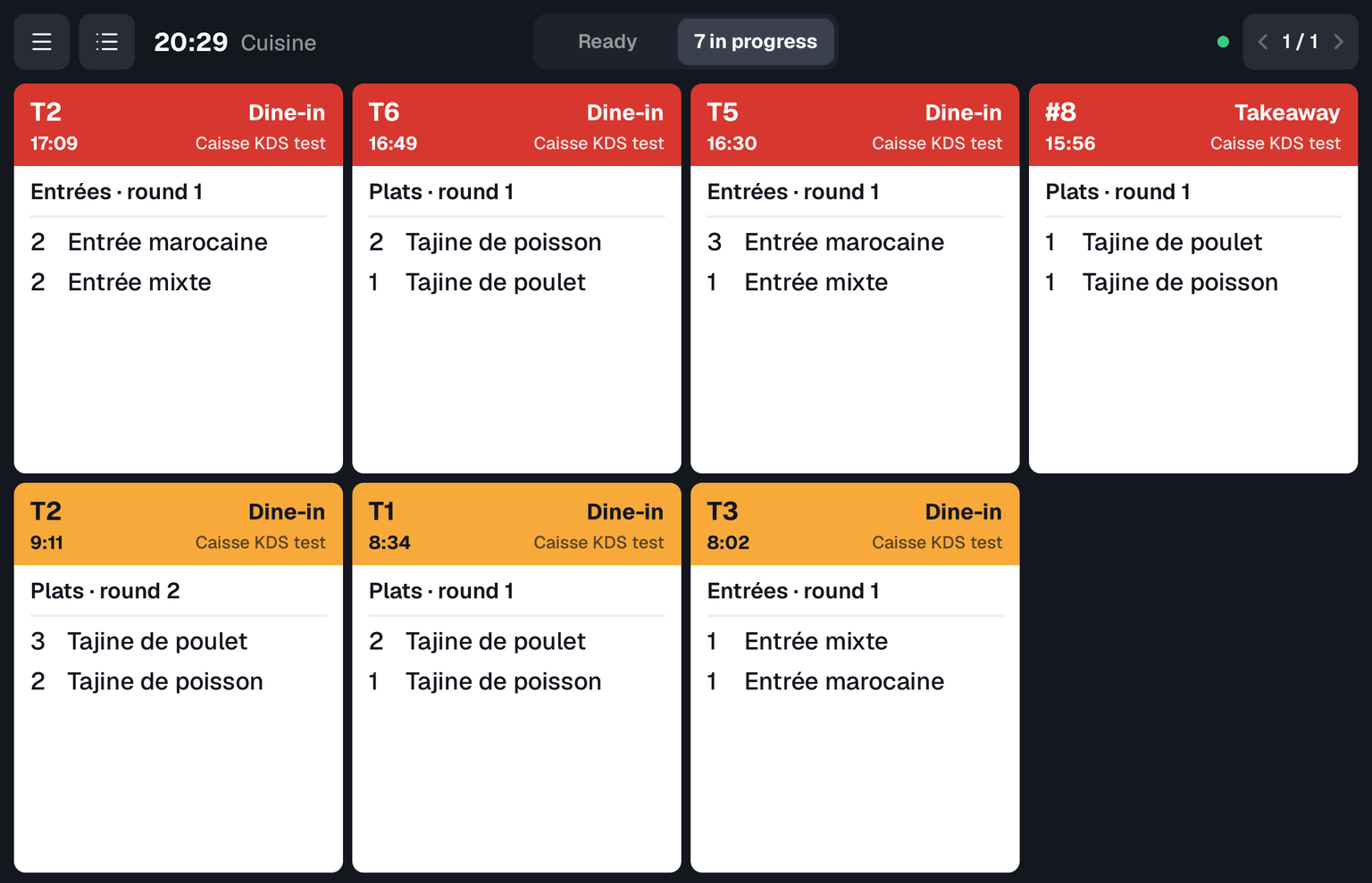
Every send from the register lands at once on the screen of the station that prepares it. The brigade bumps a ticket with a touch, and the floor hears about it without walking into the kitchen.
From counter to pass
One send, one ticket, one signal. No paper going astray.
The server taps Send. The ticket lands on the screen of the station that prepares those items, and only there. When the kitchen bumps it, the register knows within a second.
- Register
Send
T4 · 2 Chicken tagine
- Kitchen screen
Ticket shown
On the Kitchen station
- Kitchen screen
Bumped
One tap on the header
- Register
T4 is ready
Chime and alert
Readable from across the line
A screen you read at a glance, even mid-rush.
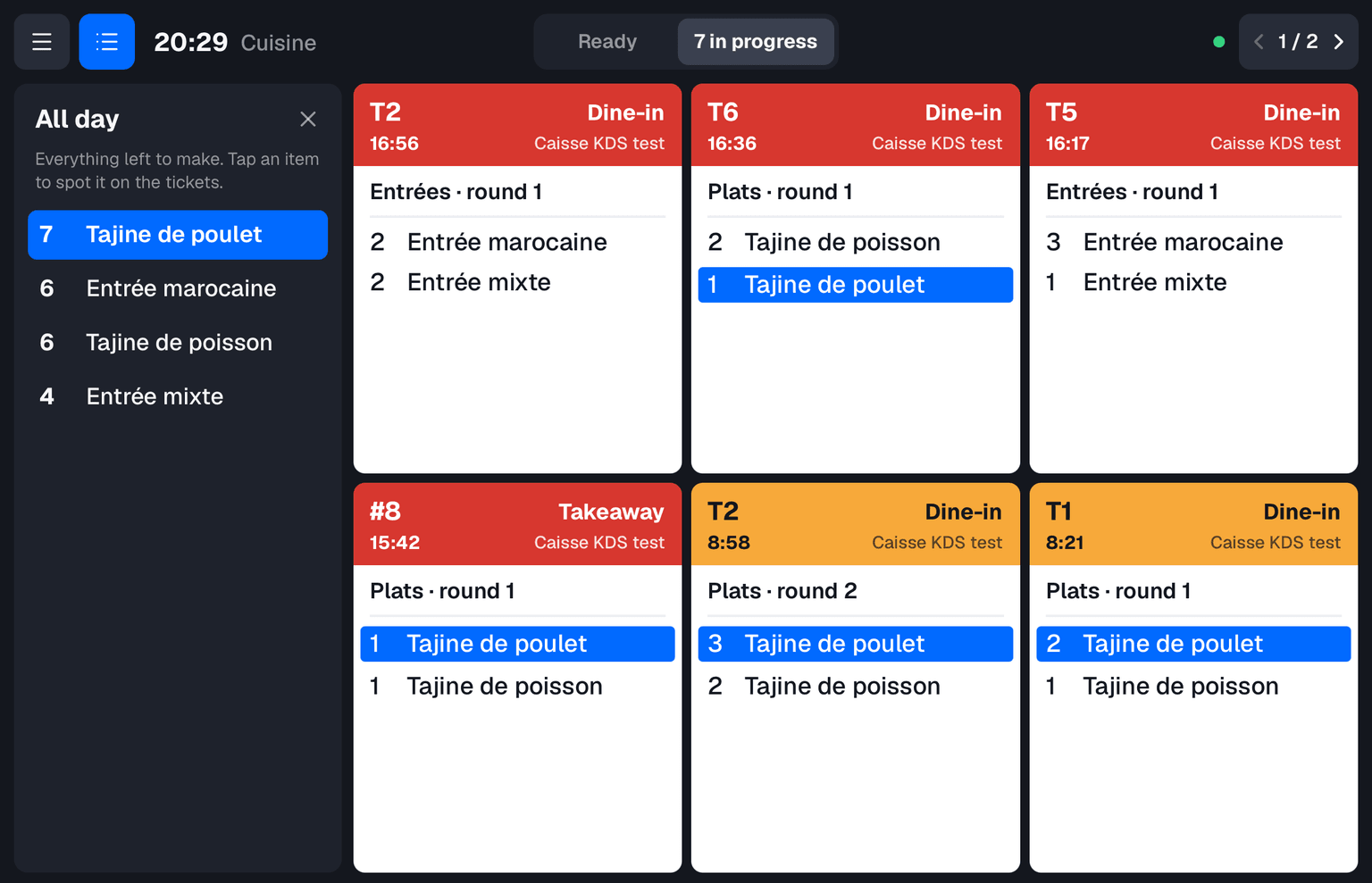
White tickets on a dark background, large quantities, and a grid that fits the size of the screen. Whatever has waited too long stands out before anyone looks for it.
The wait shows in colour
The header turns from neutral to amber, then red. Both thresholds are set per station: a grill and a cold station do not run at the same pace.
Bump with a touch, undo within three seconds
Tapping the header bumps the ticket. For three seconds, Undo catches a tap that came too early. A bumped ticket can be recalled from the Ready tab.
An all-day count of what’s left
All day totals the items across every open ticket. Tap an item to spot it on each ticket.
The ticket follows the order
An item voided on the floor stays visible and struck through, a changed ticket is flagged, and a cancelled order is cancelled on screen too.
On the floor
Nobody has to go and ask whether it’s ready.
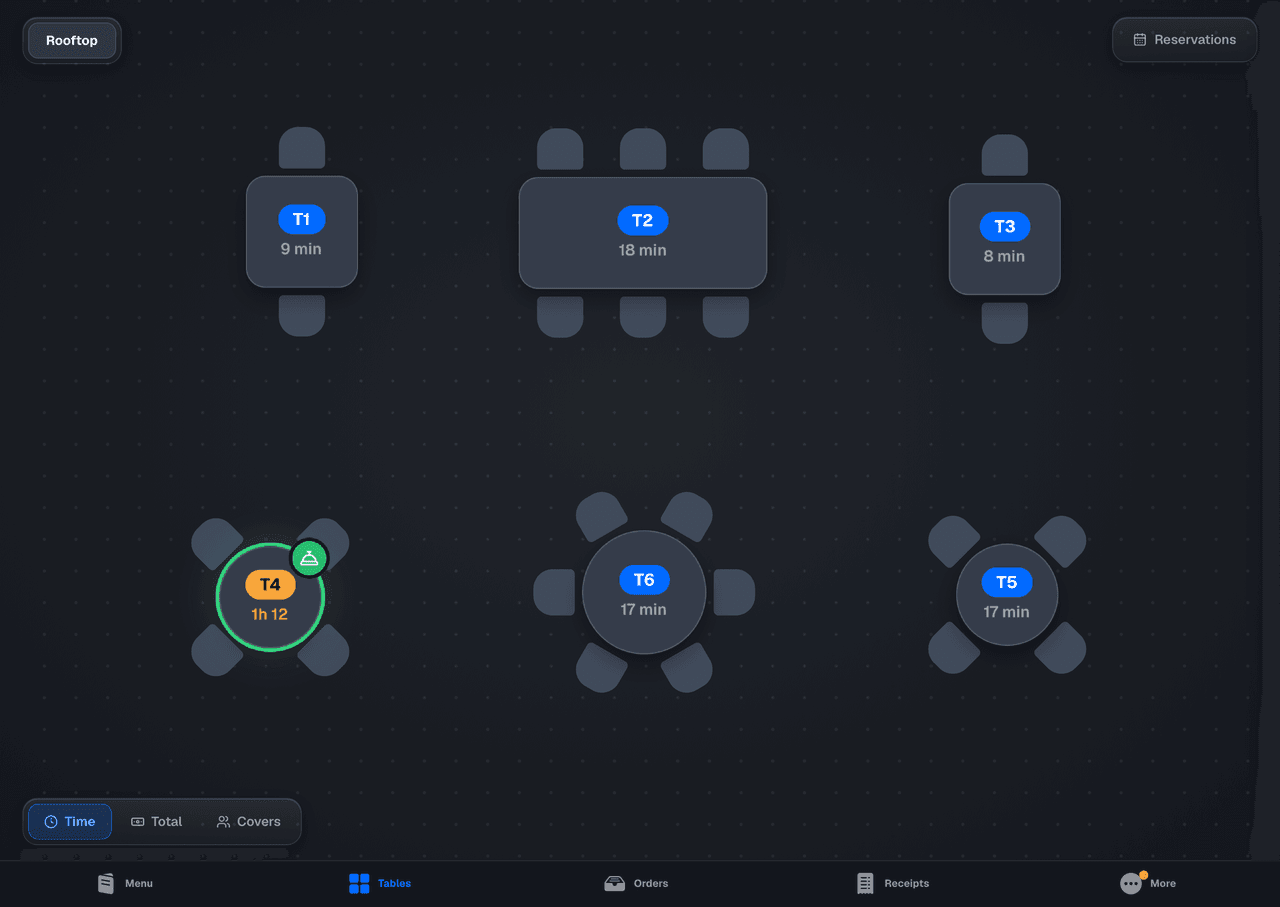
As soon as every ticket of an order is bumped, the register chimes and shows an alert that opens the order. On the floor plan, the table gets a green ring.
- “T4 · #12 is ready” alert with an Open button
- Green ring on the table until the order is opened
- Kitchen column in the orders list: Cooking or Ready
Setup
An iPad or an Android screen, paired in a minute.
The screen pairs with the main register using a QR or a code, then each screen picks, on the screen itself, the stations it shows. A screen can follow several stations, and a station can show on several screens.
Three ways to work, per station
- 01Screen
The ticket shows, nothing prints.
- 02Screen, paper as backup
The ticket prints only if no screen has received it within 15 seconds.
- 03Screen + paper
Both, on every send.
- Device
- iPad or Android tablet
- Network
- The same Wi-Fi as the main register
- Lock-down
- Guided Access (iPad) or screen pinning (Android)
Questions before you install a screen.
Built for your business
Your POS should never slow down your revenue.
NowOS streamlines sales, checkout and management so your team can keep pace without adding complexity.
From first tap to payment
- Order taken without delay
- Kitchen updated in real time
- Table paid faster